

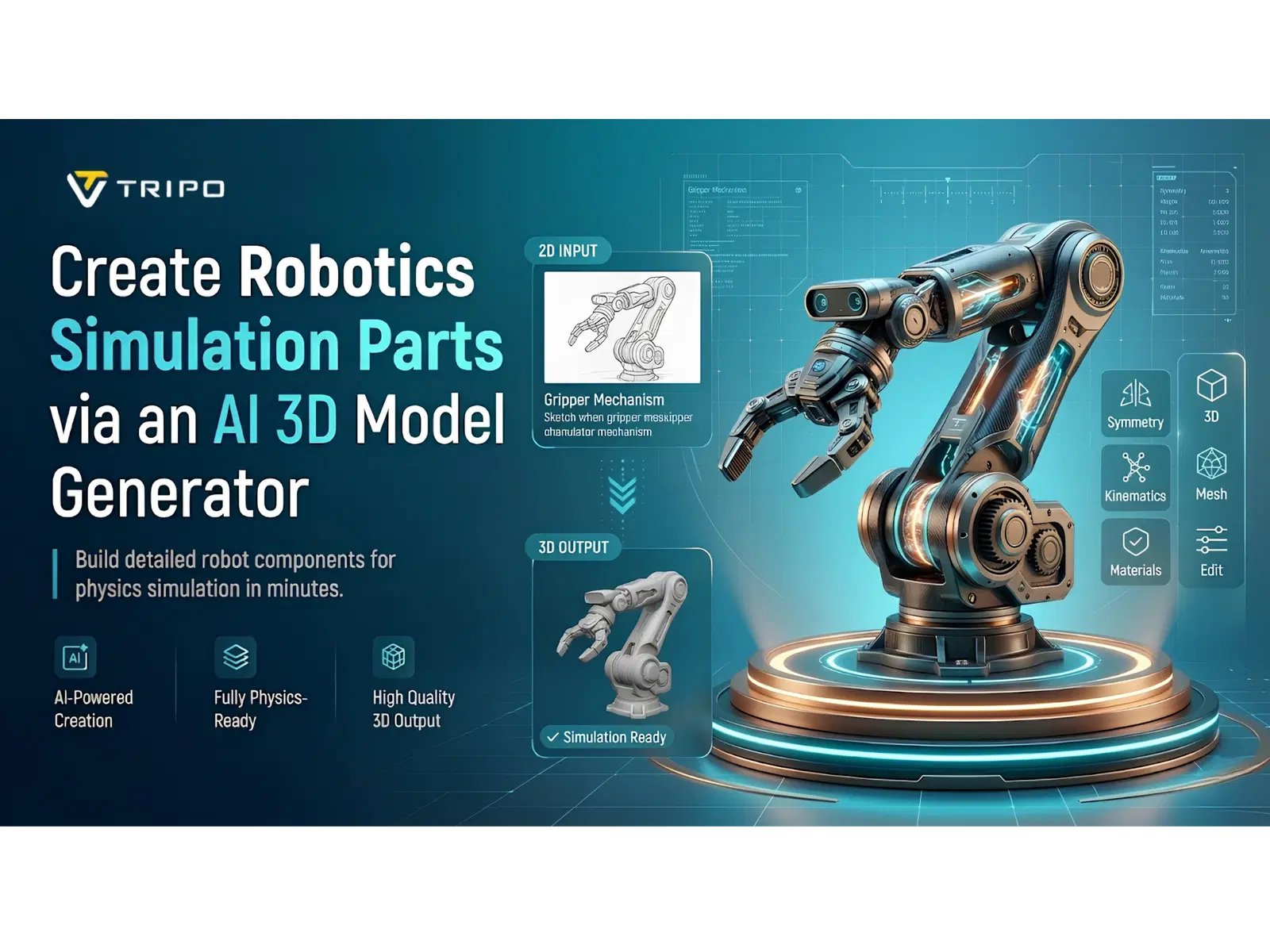
The digital parts of the system must be accurate in order to reliably simulate a robotics system. Higher-quality components contribute to more accurate motion behavior, collision detection, and engineering validation.
Creating 3D models manually often requires significant expertise, specialized skills, and considerable time. Tripo 3D helps simplify this process through automated tools and efficient workflows. The platform converts ideas, references, and sketches into usable assets in a short time. AI generation helps engineers create components for simulations with less time and effort while maintaining structural consistency.
Why Robotics Simulations Depend on Quality 3D Parts
When simulating robotics applications, it is very crucial to have accurate representations of the components. Detailed parts provide realistic virtual environments and accurate system behavior. During testing, reliable geometry is a fundamental part of motion analysis and collision calculations. Reliable models provide greater confidence in simulation and engineering accuracy. Built assets are also employed to test designs before they are made in the real world. Early validation helps reduce risks, costs, and design issues during development. Tripo 3D provides consistency across simulation assets and supports robotics development workflows.
Using AI 3D Model Generators for Robotics Component Creation
Modern engineering teams require faster methods for creating simulation assets. An AI 3d model generator helps transform ideas, sketches, or text prompts into usable 3D models with minimal manual work. Automated generation reduces manual modeling efforts and helps shorten development timelines. Engineers can create geometry for simulation testing more efficiently. This supports continuous design iterations and efficient performance testing. A larger collection of generated assets offers reusable models for various robotics projects. With Tripo 3D, parts can be created efficiently with a reliable geometric structure and usability.
Essential Tripo 3D Features for Robotics Asset Generation
Tripo 3D includes several features that support robotics simulation development. Text-based generation creates components from written descriptions. The platform offers image to 3d model workflows as well, based on reference images and concept drawings. For engineering applications, structured topology generation helps keep meshes organized. High-resolution texture support helps visibility during presentations and reviews. Export compatibility supports easy integration with simulation software and development environments. These capabilities support the creation of organized assets for iterative robotics workflows.
Steps to Create robotics simulation parts via AI 3d model generator
Step 1: Import design references for robotic components
- First, you need to access Tripo 3D and signup. Next, go to the “Model” tab present in the vertical left menu bar.
- Under the menu, click on the “HD Model”. You can generate robotic parts using text prompts or uploaded images.
- Drag and drop files or use the “Upload” tab to add images from your device.
- If you do not have an image, click the “Text to model” tab and describe the required component.
Step 2: Set simulation-ready parameters
- Under the “General settings” tab, switch on “AI complete” for automatic creation. You can also activate textures and choose “Texture Quality” settings such as 2K, 4K, or 8K.
- Enable “PBR” for accurate material reflective properties.
- Select “Quad” or “Triangle” topology for better topology characteristics.
- You can also specify a custom polycount.
- Later choose the model from the list, including v3.1 best quality, v3.0 fast and balanced, or v2.5 legacy.
- Members can use “Generate in Parts”, “8K Texture”, and “Privacy” options.
- Finally, click on “Generate Model” to create the robotic part.
Step 3: Fine-tune components and export files
- Tripo 3D lets you visualize the design through “Solid View”, “Cartoon Style”, “Sketch Style”, “Hologram Style”, and “Unlit” form. You can also “Refine” the design through the bottom menu.
- You can modify the “Environment Settings” and use “Reset Camera” for better viewing.
- If required, use “3D Print” to print or share the component.
- Open the “Export” tab from the bottom menu. Select the resolution, format, and file name, then click “Export” again to save the model.
Designing Simulation-Ready Robotics Components
Thoughtful engineering and geometric planning are needed to develop effective robotics components. Mechanical structures should accurately represent dimensional specifications and intended functional requirements. Component geometry should support proper joint articulation and realistic movement simulations. Clean mesh topology improves editing flexibility and simulation performance. Well-organized structures also simplify future modifications and upgrades. Visual quality and computational efficiency should be balanced when creating export-ready assets. Tripo text to 3d model tools are designed to support standards and streamline the modeling process.
Robotics Parts Commonly Generated with AI Workflows
Many elements of simulation are required when developing robots. Tripo 3D offers quick creation of numerous parts often used, such as:
- The housing for cameras, scanners, and measuring devices.
- Gripper components designed for object handling simulations.
- Structural geometry of robotic arms with articulated format.
- Chassis structures for mobile robotics platforms (MRPs).
- Covers for sensitive internal parts.
- Equipment used to verify the product.
These assets enable engineers to efficiently and accurately construct complete simulation environments.
Advantages of AI-Powered Robotics Asset Development
AI-powered workflows can improve robotics asset production efficiency. Faster generation reduces the time needed to prepare simulation environments. Engineers can spend less time on repetitive modeling tasks and manual corrections. This reduces complexity and allows teams to focus on testing and optimization. Rapid iteration allows design improvements throughout development cycles. Improved visualization can support communication with stakeholders and engineering teams. With Tripo 3D, asset creation can be simplified while supporting productivity and simulation standards.
Future Directions for AI in Robotics Simulation Modeling
AI continues to evolve in the field of robotics simulation. Future systems may generate assets with greater engineering awareness and design capabilities. Generation could be automated to improve performance and accuracy in simulation. Improved engineering-based modeling can lead to more accurate structures. Automated component libraries could accelerate development across multiple projects. Greater integration with robotics ecosystems could simplify simulation deployment. As these opportunities expand, Tripo 3D may continue supporting them through workflow enhancements.
Conclusion
Digital components are essential for accurate testing and validation of robotics simulation. Intelligent asset generation can reduce development time and modeling efforts. Tripo 3D allows engineers to automate the creation of detailed simulation components. It provides organized geometry, high-quality textures, and versatile export capabilities. Robotics modeling may become easier and faster as AI continues to develop. Further advances in automation may improve simulation preparation and support engineering innovation throughout robotics.
